
Seed Control for Recreating Favorite Partners
Ever wondered why your digital creations don’t match your vision? Keeping things consistent is a big challenge with today’s tech. You should be able to keep artistic autonomy over your work, keeping your characters true to form.
Just like farming changed with industrialization, you need to manage your digital projects. Learning ai girl seed control is key to keeping your favorite characters just right. This skill lets you replicate specific traits with accuracy.
This guide is your all-in-one manual for generative parameters. We’ll show you how to set your parameters for consistent results. It’s time to take command of your creative process and avoid random results.
Key Takeaways
- Learn the fundamental mechanics behind maintaining character consistency.
- Discover how to use specific parameters to lock in your visual style.
- Understand the importance of digital autonomy in your creative workflow.
- Master the technical side of generation to avoid unwanted variations.
- Gain practical skills to recreate your favorite partners with ease.
Understanding the Role of Seeds in AI Generation
Every stunning AI-generated character starts with a simple string of numbers called a seed. This number is the starting point for the entire creative process in your software.
Think of the seed as the digital DNA of your image. Without it, the model would produce a completely different result every time you clicked generate.
How Random Noise Becomes a Visual Output
At the start of the generation process, the AI begins with a field of pure, random static. This is often referred to as Gaussian noise within the latent space of the model.
The seed value dictates exactly how this noise is distributed across the canvas. As the model processes your prompt, it gradually refines this noise into a coherent visual output by removing unwanted patterns.
This transformation happens through a series of iterative steps. The AI compares the current state of the image against your text prompt, slowly shaping the pixels until they match your description.
Why Seeds Are the Foundation of Reproducibility
The primary reason we rely on a specific seed value is to ensure reproducibility. Because the process is deterministic, using the same seed and the same prompt will force the model to follow the exact same path through the latent space.
This consistency is vital when you are trying to perfect a specific character. If you change your prompt slightly, the seed acts as an anchor, keeping the core features of your character stable.
There are several key advantages to managing your seeds effectively:
- Consistency: You can recreate the same character across different sessions.
- Iterative Control: You can tweak specific details without losing the overall composition.
- Precision: You gain the ability to compare how different prompts affect the same base image.
By treating the seed as a foundational element, you move away from random experimentation. You gain the power to build a library of reliable, high-quality character designs that remain consistent over time.
Mastering AI Girl Seed Control for Consistent Results
Getting consistent results in AI image generation starts with managing the seed parameter well. The software uses a number to start the random noise process when you generate images. By learning ai girl seed control, you can go from random results to a steady workflow. Your favorite characters will stay the same in every session.
Defining the Seed Parameter in Your Interface
Interfaces like Automatic1111 or ComfyUI have a special field for the seed value. By default, it’s set to -1, which means a completely random image is made every time you click. To keep your character, find this field and change the -1 to the number from a successful image.
When you enter a fixed number, you lock the starting point of the image making process. This stops the model from changing facial features or body shape. Learning to control the ai girl seed is key to creating a reliable collection of character images.
The Relationship Between Prompts and Seed Values
Your final image is a mix of your prompt text and the seed value. The seed gives the structural foundation for the image, while your prompt adds the details. If you change your prompt but keep the seed the same, the model will try to adjust the character based on your new text.
Even small changes in your text can greatly affect the final image. To master ai girl seed control, treat the seed and prompt as a single unit. When you find a good combination, write down both values. This way, you can easily get the same look again whenever you need it.
Preparing Your Environment for Reproducible Scenes
Before you can master character consistency, you must first stabilize the environment where your AI creations come to life. Creating a reproducible scene is not just about luck; it is about building a technical foundation that minimizes unwanted variables. When your workspace is properly configured, you gain the power to iterate on your designs without losing the core likeness of your character.
Selecting the Right Model for Character Consistency
The checkpoint you choose acts as the DNA for your entire generation process. Some models are trained for high artistic variety, which often leads to unpredictable results when you try to maintain a specific look. To achieve a reproducible scene, you should prioritize models known for their stability and adherence to prompt instructions.
- Look for checkpoints with high community ratings for character fidelity.
- Avoid models that introduce heavy, unrequested stylistic filters.
- Test your chosen model with a simple prompt to see if it produces consistent base features.
“Consistency is the hallmark of a professional workflow; without a stable model, your creative efforts will drift into chaos.”
Configuring Settings for Stable Generation
Once you have selected a reliable model, you must lock in your generation parameters. Small changes to your sampler or step count can drastically alter the final output, even if your seed remains identical. You should treat these settings as fixed variables in your reproducible scene project.
To maintain stability, keep these configurations consistent across your sessions:
- Sampler: Stick to one reliable option, such as DPM++ 2M Karras.
- Step Count: Use a fixed value, typically between 20 and 30, to ensure the denoising process remains uniform.
- Resolution: Always generate at the same aspect ratio to prevent the AI from hallucinating extra limbs or distorted features.
By standardizing these technical elements, you create a predictable environment. This preparation is essential for anyone serious about maintaining a long-term project involving specific character likenesses. When you control the environment, you finally gain the freedom to focus on the creative details that matter most.
Step One: Capturing the Initial Character Seed
Starting a good workflow means finding the special seed number of your favorite image. This number is like the DNA of your image, telling the AI how to turn noise into a face or style. By getting this number, you set up a reproducible scene that you can go back to anytime.
Identifying the Seed from Your Favorite Generation
Most AI tools show the seed number in the image details or generation log. Look for a number called “Seed” near your prompt settings. If it’s not shown, check the “Generation Info” or “Metadata” tab for the details.
When you find the number, write it down right away. Consistency means using this exact number again to get the same result. Without it, even the same prompt will give a different image.
Documenting Metadata and Prompt Variations
Save more than just the seed to ensure success. You need the prompt, negative prompt, sampler type, and step count from the first creation. Keeping these details helps you recreate the scene whenever you want.
Use a spreadsheet or a note app to track these settings. This way, you won’t lose a perfect character look because of forgotten settings. Here’s a table of the key data to record for each successful generation.
| Metadata Category | Importance Level | Action Required |
|---|---|---|
| Seed Value | Critical | Copy and save exact digits |
| Prompt Text | High | Store full positive and negative strings |
| Sampler Settings | Medium | Record sampler and step count |
| Model Version | High | Note the specific checkpoint used |
Step Two: Refining the Character Through Iterative Testing
Refining your character is a delicate process. You need to make small changes while keeping the core idea the same. This helps you create a reproducible scene that looks exactly as you want.
By treating each test as an experiment, you have full control over the final look. This way, you can fine-tune your character until it’s just right.
Adjusting Prompt Weights While Keeping the Seed Constant
When you change your prompt, be careful not to mess up the image’s structure. Prompt weighting lets you focus on certain traits, like eye color or hair, without changing the whole picture. Keeping the seed the same keeps your character’s core identity steady.
Begin with small changes to your keywords. If you want to highlight something, just increase its weight a bit. This way, you avoid big changes and keep your reproducible scene consistent.
Managing Negative Prompts to Preserve Features
Negative prompts are like a defensive tool to keep unwanted changes out. If your character starts to look different or has weird distortions, use negative prompts to block those traits. This keeps your character’s features consistent during testing.
This is like a curation phase where you remove the unwanted to find the perfect version. By blocking common errors, you create a stable environment for your character. Regular use of these negative constraints ensures your final output is high-quality and matches your vision.
Step Three: Implementing Versioning for Character Evolution
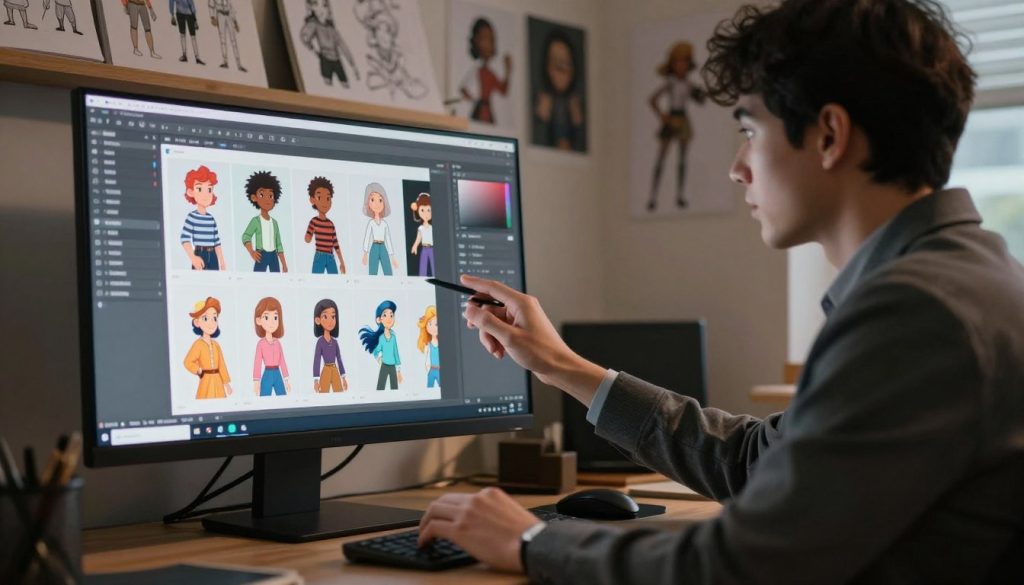
Managing your digital partner’s growth needs a structured versioning approach. As you explore new artistic directions, your character may change slightly. Keeping a clear record of these changes helps keep your creative vision intact.
Tracking Changes Across Different Model Checkpoints
Every time you switch to a new model checkpoint, the AI’s math changes. This often leads to slight changes in facial features or lighting, even with the same seed. It’s important to keep a detailed log of which model versions work best with your prompts and seeds.
By documenting which checkpoint produced a specific look, you create a roadmap for your character’s development. This helps you identify which models fit your preferred aesthetic. It also prevents the frustration of losing a perfect result when you upgrade your software or switch to a more advanced model.
Using Versioning to Revert to Previous Looks
Sometimes, a new model update might not capture your character’s charm as well as an older version. A reliable versioning system lets you revert to a previous state without losing progress. You can treat these saved configurations as anchor points in your creative journey.
If a new generation feels off, you can simply reload the previous model and seed pair to restore the original appearance. This level of control is vital for maintaining long-term consistency. The following table outlines how to organize your records for maximum efficiency.
| Version ID | Model Checkpoint | Seed Value | Primary Benefit |
|---|---|---|---|
| v1.0 | Base Model A | 8849201 | High facial accuracy |
| v1.1 | Refined Model B | 8849201 | Better lighting effects |
| v1.2 | Experimental C | 8849201 | Enhanced texture detail |
| v1.3 | Stable Release D | 8849201 | Optimal style consistency |
By consistently applying these versioning habits, your character remains recognizable through updates. This systematic approach transforms your workflow from random trials to a professional, repeatable process.
Advanced Techniques for Maintaining Partner Likeness
Standard seeds might not always keep your character looking right. That’s where advanced tools come in. They offer the fine-tuning needed for detailed character development. By using versioning, you can see how these changes affect your work over time.
Utilizing LoRA and Embeddings Alongside Seed Control
For specific facial features or outfits, LoRA files are key. These small models add a fine-tuning layer to your base seed. A consistent seed with a specific LoRA keeps your character’s look steady.
Textual embeddings add more stability by defining visual concepts in your prompt. Using them with your seed makes the generation process more predictable.
“True consistency in AI generation is not found in a single setting, but in the harmonious layering of multiple control mechanisms.”
Applying ControlNet for Pose and Composition Stability
Keeping your partner’s look consistent in dynamic scenes is tough with seeds alone. ControlNet provides a structural map for your generation. It keeps the character’s pose stable, even with changes or new versioning strategies.
These tools let you guide your character through different scenes without losing their unique look. This sophisticated toolkit helps you focus on your story’s narrative. Consistent versioning of ControlNet settings will improve your high-quality, repeatable results.
Troubleshooting Common Issues with Seed Consistency
Even with precise settings, your images might not always match your vision. You might see changes in your character, even with the same parameters. Understanding ai girl seed control means knowing how different factors affect your images.
Why Your Character Changes Despite Using the Same Seed
It’s frustrating when your character changes unexpectedly. This can happen because the seed is just one part of a complex equation. Even with the same seed, other variables can still change the outcome.
- Model Checkpoint Updates: Changing model versions can affect how seeds are used.
- VAE Mismatches: Different Variational Autoencoders can alter colors and textures.
- Hardware Precision: GPU differences or floating-point issues can cause small changes.
“Consistency in generative art is not a static state, but a dynamic process of balancing multiple technical variables simultaneously.”
Fixing Drift Caused by Sampler and Step Adjustments
The sampler you choose is key to your image generation. Switching from Euler a to DPM++ 2M Karras changes the AI’s path. This means your previous ai girl seed control efforts won’t work because the noise calculation changes.
Changing the number of steps also affects the AI’s output. Increasing or decreasing steps means the AI stops at a different point. Always document your exact sampler and step count to replicate your results.
If your character drifts, try these fixes:
- Revert to the exact sampler used in your original successful generation.
- Ensure your step count matches the original metadata exactly.
- Check if you accidentally enabled or disabled high-resolution fixes, as these significantly impact the final composition.
By keeping these variables consistent, you can control your character’s evolution. Consistent ai girl seed control means maintaining a stable environment for your work.
Best Practices for Organizing Your Character Library
You can turn your messy folders into a professional library with the right plan. Think of your collection as a digital seed bank. This way, you keep your creative work safe for future projects. A consistent versioning system helps you keep track of your progress.
Creating a Database of Successful Seed and Prompt Pairs
A well-organized database is key to managing your favorite characters. Instead of just using file names, use a spreadsheet or app to track your work. This keeps your versioning in order.
When setting up your database, include these important details for each entry:
- The exact seed value used for the generation.
- The full prompt string, including all weight modifiers.
- The specific model checkpoint and VAE settings.
- The sampler type and step count configuration.
Backing Up Your Generation History for Future Use
Your hard work can be lost if you don’t back it up. Treat your generation history as a valuable asset that needs regular care. Don’t rely on just one folder, as it can lead to data loss.
To keep your library safe, follow these storage tips:
- Cloud Synchronization: Use services like Google Drive or Dropbox for real-time updates.
- External Drives: Keep a physical copy of your images and logs on an external hard drive.
- Automated Backups: Set up weekly backups to protect your latest work from errors.
By following these habits, you build a solid base for your future projects. A well-organized library saves you time and lets you focus on creating. Consistency is the key to success in AI generation.
Conclusion
To keep your digital projects consistent over time, you need to understand seed control well. Now, you have the skills to keep your favorite characters the same in every new generation.
With these skills, you have complete freedom to be creative. You can try new things while still making your main subjects familiar. This mix of new ideas and keeping things the same is what top creators do.
Digital libraries work like nature, needing variety. Keep trying new prompts and note what works. Your collection of successful ideas will help you grow as an artist.
The world of generative art is always changing. You’re ready to update your methods as new tools come out. Keep improving your way of working to see what amazing things you can make with AI.
FAQ
What exactly is ai girl seed control and why should I use it?
ai girl seed control is about locking the seed value in AI generation software. It ensures consistent facial features and identity in your character’s images.
How can I create a reproducible scene for my project?
Keep all variables constant: seed, prompt, negative prompt, sampler, step count, and resolution. This ensures consistent results for your scenes.
Why is versioning important in AI character creation?
Versioning is important because AI models and software change often. It helps maintain consistency even with updates, allowing easy reversion if needed.
Can I use the same seed across different AI models?
Generally, no. Seeds are specific to the model they were created in. Using a seed from one model in another will result in different images.
My character looks slightly different every time I generate. What is wrong?
This is usually due to “drift.” Check your sampler and step count. Even small changes can affect the image. Ensure your seed is locked and not set to random.
How do LoRAs work with seed control?
LoRAs add specific traits to your character’s image. They work with seed control to ensure consistency in your character’s appearance.